top of page
sample tet
sample tet
sample tet
sample text
sample text
sample text
Planning and Production.
what safety devices can i use.
roller coaster safety devices.
What are the differences types of safety devices used on roller coaster.
anti-rollback.
There are two main types of anti-rollback, anti-rollback dog and magnetic brakes. The anti-rollback dog is used on most chain driven lift hills on roller coasters, the anti-rollback dog is placed on the bottom of the roller coasters train, the anti-rollback dog will interact with a rack of teeth that is placed on the track next to the chain, the anti-rollback dog is set up so that it will only let the train it is attached to move in one direction if the train moves in the wrong direction it will stop the train. The anti-rollback dog also make that clicking sound that we all associated with roller coasters.
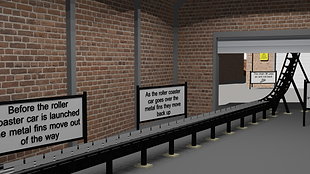
Magnetic brakes are often used to slow down trains from Hight speed to low speed, Magnetic brakes are often used on launch coasters, anti-rollback magnetic that are used on launch coasters are always used on the launch season of the track because it can slow down the train safely and smoothly. If the train slows down and rolls back down the track on the lunch track. The anti-rollback magnetic are setup so that they move down out of the way so a train can pass over at high speed without intrusion only after the train has gone past the anti-rollback magnetic will move back up to catch tr train.
mood board.
I have made a mood board with the things i want to put in the infographic.

old models i can use.
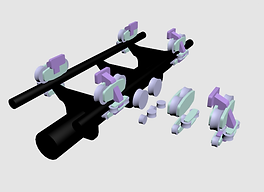
i have found an old model that i made but never used, I think i will be able to use in this project, I have set it up so that you can spin the model
asset list.
on my asset list I have a list of all the models that I will use in my infographic.
roller coaster track.
roller coaster launch track.
roller coaster lift hill.
roller coaster car.
work shop.
sign.
tree.
road.
time plan.

storyboard.

Lighting technician
Lighting is some I have not gotten much experience with in 3DS max, so my plans for this project is to have realistic lighting.
In the past when I worked with lights in 3DS max in the past I had a lot of problems where the scene would be too bright or too dark.
I will add to this part as I work on setting up the light in my scene.
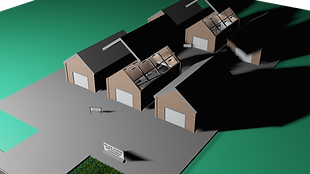
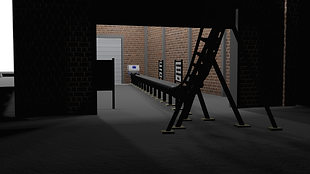
I have started to work on the light, I have started to by trying to set up a sun light, this is so that when I start to add over light in side the building it will not make the hole scene dark. it also means that the lights in the buildings be easer to set up.
to set up the sun light I made a daylight object with this object there are two parts a sky and a sun. the sun is used to set the main light for the scene, the sky object will set the back ground as a sky blue, this fills in blank space in the sky.
I have started to add to the building lights, so far I have stared by using targeted lights. I have the targets on the floor of the scene. The lights need a little bit of setup, the two things I need to set up are the shadows and the power of the light. To make the shadows I just need to tick one box that says cast shadow. To set up the power of the light I just change the size then did a test render. I have made some light model to place the light spot in so that the light will create shadow.
As I was working on adding the light there where some small problems to fix, one of the problems was the lights in the builds where leaking and messing up the shadows on the side of the building, I fixed this by changing the light setting and at some point the light stopped leaking.
The only over problem was the render time, there is not much I can do about this because the problem was with my PC and it just ment I would have to wait a little bit longer to see how the lighting came out.
here are some renders of the light I made as I was testing.
t


sample text
sample text
production week 1.
this week i have started with my planning and research. I have also chosen a theme for my infographic, the safety device used on roller coaster.
production week 2.
this week i have dose some research into the 12 parables of animation, i have also made a mood board with images if things i will need to look into researching. i have also found an old model of a roller coaster launch that i could use. i have also made a roller coaster lift hill that i can use.
production week 3.
this week i have done some research into the different types of animation. i have also made a time plan and my asset list. i have also stared my story board. as well as started to make a model of a roller coaster car.
.png)
.png)
.png)
.png)
production week 4.
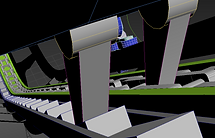
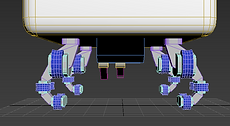
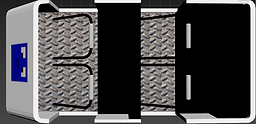
this week i have finished my roller coaster car model now i can start with animation of the roller coaster car on the track. so far i have animated the roller coaster car on the launch track and i have started the lift hill.




.png)
production week 5.
this week i have add to my research as well as started the animation of my roller coaster car going up a lift hill so far i am trying to use the 3ds max physics engine for the anti roll back dog, have tried to use a hinge constraints so it can turn freely. the big problem with this is that i keep crashing 3Dsmax, and the collision does not want to work.


production week 6.
I have given up on using the physics engine for the anti rollback dog, i have had to make the animation by hand. I have finished the animations of both roller coaster cars and i have moved on to creating the world that they will be in, so far i have made a block out of the world. i have started to create the model that will be in the world like a road, signs and a buildings for the roller coasters. after i have made the wold i well set up the camera and its path.
production week 7.
This week i have made some more models. i have made a front sign, some sign with text that explain what is happening, a road with paths, some work shop building, grass and some lights. so far i have placed all my models and now i need to reanimate the camera. i have reanimate the camera and set all the timing for each ride as well as some doors. i have also found an old fence model that i can put into the back ground.


production week 8.
This week I have spent some time setting up all the lightning in 3DS max, I have gotten the all of the lights set up and looking nice. I am having problems getting it to render, it is taking a 3-20 minutes per frame. I have also set up the camera and I set up all the animations to play at the right time. I have also added some smaller details like health and safety signs. I have started to look for over ways to render, so far I am looking into rendering in unreal engine 4. I have put all my work into unreal engine 4 and now I need to redo all the lights. I have finished putting all my models in to unreal engine 4 and I have done some test and it dose not look as good as it dose in 3DS max.





my feed back.
I have showen my infographic to see what people thought about my infographic, the main things i will be looking at are what people liked, what people did not like, where i could make some improvements as well as which render is better.
From my feed back I got I found that the people I asked to look at my infographic liked:
The animation and detail of the models.
Really cool camera movements through the scene.
Really interesting to see how each of the models works.
I liked the heath and safety sign.
I think it works for the purpose because it shows all elements and allows you to see all the different moving parts.
From my feed back I got I found that the people I asked to look at my infographic did not like:
I struggled to read it in the time frame.
The lighting is a bit off.
From my feed back I got I found that the people I asked to look at my infographic I have gotten so things I could improve:
There could be a little more contrast in the materials.
Could pause just a second longer on the facts.
Maybe have one car themed to a real ride that uses that system.
I think the lighting could be adjusted slighty to give a bit more dimension.
From looking at my feed back I have found that people like the level of detail and the smaller detail, this is good because I put lot of detail and for people to be commenting on it, it means that the detail is showing.
From looking at my feed back I have found that people did not like the lighting and how fast the camera moved past the signs.
I agree that the lighting is bad, the lighting had to be remade in unreal engine 4 just so i could render to a video, to fix this I would need to render in 3DS max, in 3DS max I have all the lighting set up to the point where it looks good.
I have also agree that the camera moves too fast past the signs, to fix this I can edit my infographic after making it into a video. I can make the video slow down before stopping at the sign.
From looking at what improve I could make to my project i have found some good ideas:
I found a comment about how the camera could pause for just a second longer on the facts. I agree with this the camera dose move past some of the sign, this would be a good thing to change.
From my feed back i got a comment about changing one of the car themed to a real ride that uses that system, as much as I like this idea it is a bit too late to add this, there would also be some problems with copyright, because it would be based on a real life ride at a park, also the scene I have set up is for a work shop where they test and build roller coaster.
I also got some feedback on improvements I could make to the light. I agree with this idea because the lighting is not that good, this is mainly because i had to redo all the lighting in unreal engine 4, to improve this I would need to render in 3DS max where I had all the lighting looking good.
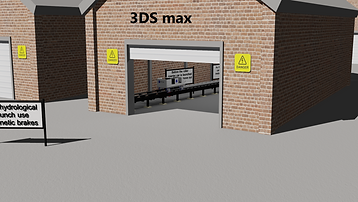
when I was showing of my work I posted two render one in unreal engine and the over in 3DS max, and I asked witch render is better. both renders where of the same area as a control variable. From the feedback I found that the 3DS max screen shot looked a lot better, this is good because I set up all the lighting in 3DS max to look relay good and I did not have enough time to get the lighting to look as good in 3DS max.
I have spent some time sending round the two renders to different people and got the same results, I mainly posted it on discord servers.
From looking at my feed back i have found some changes that could be made to my infographic to make it better:
I will need to make some changes to how long the sign stay on screen, to do this I will make the video stop at each sign if the camera moves on, this will be a good change to make because I want the people watching to be able to read the text.
I would render in 3DS max, from all my feed back I found that people liked the 3DS max renders better then the unreal engine render.
https://web.microsoftstream.com/video/b9a862c2-d170-4301-b80c-4870b331112d

bottom of page